Breaking News
Showing posts with label Linux Software. Show all posts

Friday, April 25, 2014

‘Iris’ Is a Stylish Flat GTK Theme


Iris light gtk theme
Iris, in both its light and dark variants, is nothing if not on-trend. It adheres to the (increasingly clichéd, but still good looking) use of “flat” elements coupled with just a splash of a bold accent colour.
IRIS Dark GTK Theme for Linux
It’d be easy to compare it to Windows’ Modern UI or Apple’s iOS 7, but since neither OS has dibs on the minimal style, they merely popularised it, it’s an association that would undermine the effort and attention put into Iris by its author.
Both Iris Light and Iris Dark support Gtk 3.10 (including GNOME’s natty new header bars), Gtk 2 (using the Murrine engine), and elementary’s Granite. A Metacity window theme is also included.

Don’t Freak Out But It’s In Beta

If there’s a drawback to be had it’s that both themes are still in ‘beta‘. Yes, that means if you’re prone to table-flipping over minor inconsistencies or issues you will want to give it a miss.
For everyone else (read: the serene and sensible amongst you) Iris can give your desktop a dramatic overhaul. To try it out jump on over to DeviantArt using the links below, then install to your local theme folder and apply using an app like Unity Tweak Tool.
Don’t forget to let us know what you think of it in the comments. Any bugs you find can be reported on the project’sGitHub page.
Read more ...

Easily Change Color of Folder Icons in Ubuntu With This Tool

Ubuntu’s default folder icons are nice enough but their uniform orange appearance lacks personality.


To add a splash of vibrance we can use a small tool called ‘Folder Color’. It’s designed to work with Nautilus and can only be used with the default Ubuntu icon theme.

The name pretty much spells out its function: it lets you to change the colour of folders. With it you can make your essay documents folder red, your holiday photo directory yellow, and so on, with a simple right-click.


There’s really not an awful lot more to say about it. It’s not a separate icon theme and does not, yet, allow you to change the colour of the standard Home folder icons (Music, Photos, Documents, etc.).
Other than that it works as intended, has a fairly decent number of colour options available, and offers a handy link should you wish to ‘Restore to default’.
Installing Folder Color

While not a game-changing app Folder Color is nevertheless a useful tool to have if you ever fancy retooling your home folder to look like a rainbow.
The utility can be installed from a dedicated PPA using the command line and supports Ubuntu 13.10 and 14.04 LTS. 

sudo add-apt-repository ppa:costales/folder-color
sudo apt-get update && sudo apt-get install folder-color


After installation has completed you will need to log out and back (or restart Nautilus) before the right-click options are listed.
Read more ...

Audacious 3.5 Released!

Audacious is a free and open source audio player with a focus on low resource usage, high audio quality, and support for a wide range of audio formats. Audacious is the default audio player in Lubuntu.


New features and improvements being introduced in Audacious 3.5 include:

Support for Microsoft ASXv3 playlists.
OpenGL spectrum visualization.
New settings window for JACK output.
New audtool commands for working with multiple playlists.
Defalt tag format for MP3 files changed from APEv2 to ID3v2.3
Support for COVERART element in Ogg Vorbis tags.
And many bug-fixes.


More details can be found here
Read more ...

Wednesday, April 23, 2014

Wine 1.7.17 Features Lots of Fixes for Games


 -

Alexandre Julliard announced a new development version of Wine, bringing some new features and many smaller fixes that should make a lot of gamers very happy.

The development version of Wine is still being updated and there are a lot loose ends to tie up before launching a new build. It's likely that we will get a new major release in the next few weeks.

Besides the normal fixes for various applications and games that are usually uploaded in the new releases, more implementations for the Task Scheduler have been added, C runtime has been made more compatible by sharing source files, a number of fixes in the Mac OS X joystick support have been implemented, and numerous fixes have been added.

Every Wine version usually features lots of smaller fixes for various applications and games. They might not be as exciting as the major features, but some users might find that their favorite software is finally working.

Wine 1.7.16 also brings bug fixes for the following Windows games and tools: Ogre3D, Counter-Strike 1.6, Marangatu, Team Fortress 2, Splinter Cell, Little Fighter 2, Half-Life 2, Tropico 3, Microsoft Money 2003, Age of Empires, Mafia 2, Brink, Black Dog Cribbage, Acclaim Re-Volt, Sins of a Solar Empire, Skyrim, Sid Meier's Pirates!, EVE Online, Borderlands 2, Battle.net, Patrician III, and Exile: Escape from the pit.

According to the changelog, Counter-Strike 1.6 no longer freezes before logging onto a server, Team Fortress 2 no longer freezes when the user has just started playing, the Artweaver 1.x properties tool window no longer fails to re-dock, the keyboard will now work in games launched from Steam when using the virtual desktop, Steam no longer reports inaccurate transfer speeds, and Source-based games are now working properly.

Wine (which stands for wine is not an emulator) can be usually found in every major repository, but only the stable version. You can easily install the development build of Wine with the help of a PPA. All you need to do is to open a terminal and enter the following commands (you will need to be root in order for it to work).

sudo add-apt-repository ppa:ubuntu-wine/ppa
sudo apt-get update
sudo apt-get install wine
Read more ...

Sunday, October 20, 2013

Gnome-Shell Refined Is the First GNOME 3.10 Theme and It Looks Amazing


Gnome-Shell Refined 3.10 is probably the first theme made specifically for GNOME 3.10, and it looks great.


I say probably because it's hard to search the entire Internet for a GNOME 3.10-compatible theme, and my search hasn't been fruitful.

In any case, Gnome-Shell Refined 3.10 is a beta release and, as the name suggests, it only applies to GNOME Shell. It doesn't have any particular icons associated with it, but it makes the operating systems a lot classier.

“This is a beta state of a theme I made for my Gnome Shell. It is a Mixture of the VIVA-theme, the Elementary-Mod theme and the standard Shell theme.”

“All honors go to the makers of the themes mentioned above, I just mixed all! Because I'm using Numix GTK very often, the Item-Activated color is a kind of orange,” stated the developer.

You can download the theme from gnome-look.org.
Read more ...

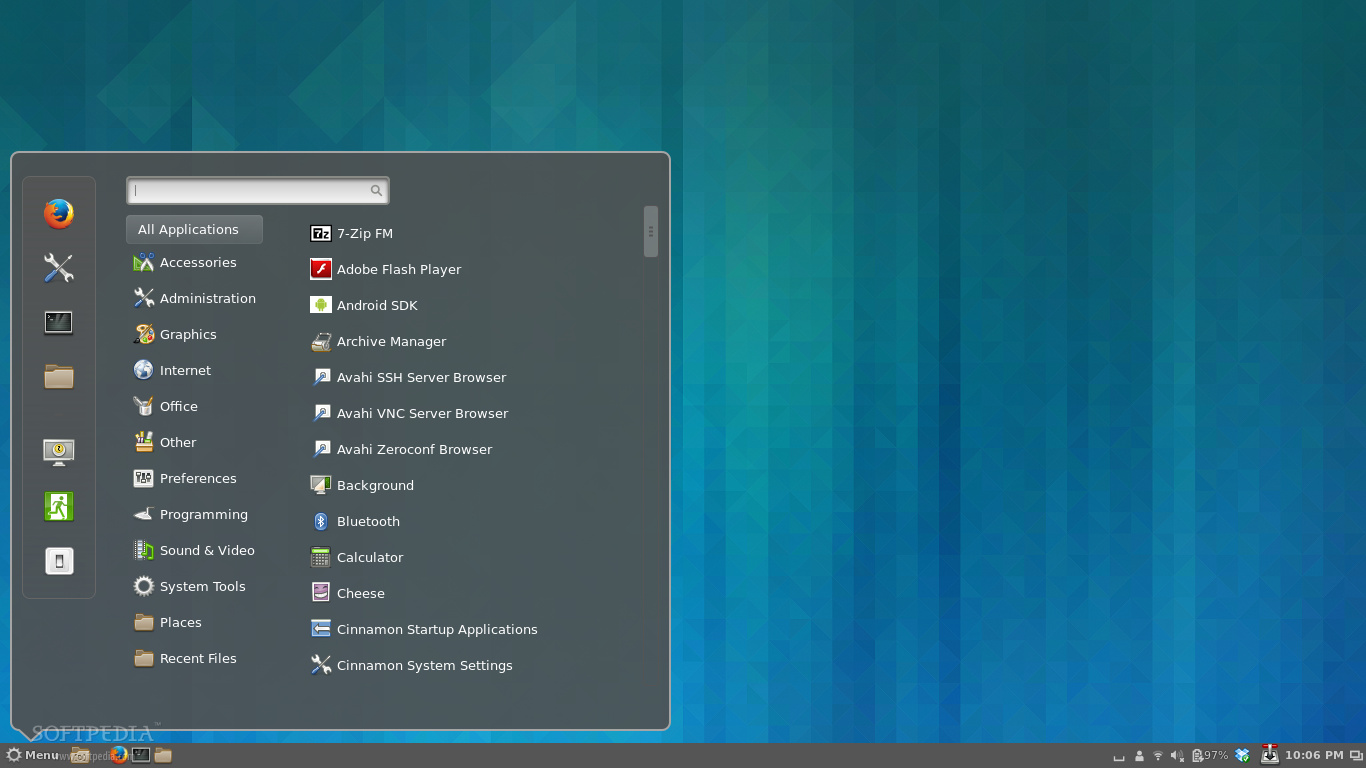
First Look at Cinnamon 2.0 on Arch Linux

After approximately five months of development, the final version of the highly anticipated Cinnamon 2.0 desktop environment, created by the people behind the popular Linux Mint operating system, has finally arrived today, October 10, 2013.


Cinnamon 2.0 is fully packed with brand new features, lots of improvements, and numerous bug fixes, which will definitely make users upgrade from the old and deprecated Cinnamon 1.8 desktop environment.


As you can see from the screenshot above, the Cinnamon 2.0 desktop environment is easily customizable, allowing users to instantly get new themes from the Internet and apply them with a few mouse clicks.

I have to admit that I've never used the Cinnamon desktop environment before. Yes, I've tested a few Linux Mint distros that used Cinnamon, but that's all. And now, writing this piece of article straight from the new Cinnamon 2.0 desktop environment makes me want to stick with it and not go back to my brand-new GNOME 3.10 desktop.


Another cool thing I've noticed in the new Cinnamon 2.0 desktop environment is the fact that it offers a lot of cool options in the right-click context menu, as well as many configuration options to make it look the way you want it to be.

What else is new in Cinnamon 2.0? Well, a lot of things, such as new sound effects, which makes it more alive and fun, better user management, system tray support for file operations, an improved Nemo file manager, and a lot more other cool features for you to discover.

If you're using Arch Linux and Cinnamon as your main desktop environment, then you can upgrade your Cinnamon installation to version 2.0 right now, using the sudo pacman -Syu command in a terminal. Don't forget to restart your computer for the changes to be applied.


How's your Cinnamon 2.0 experience so far?
Read more ...
Designed By